The Decision Exploration System is a method of thinking through decisions and exploring the consequences of your possible choices. You should be on this page after coming from the main explanation, which you can find here.
This second version of the Decision Exploration System is a set of tabs within a Google Sheet, for access to a read only copy please go here.
I talked through a separate scenario here, it’s about half an hour of a single take, but I’m assuming you’ll jump around as you see fit. Your feedback is welcome on whether a better version, with subtitles and chapters, is worth making.
Working through an example: #
If you’re on this page you should be considering a run introduction to the whole thing, this page is to give you an idea of what we’ll discuss.
This is just an introduction to ensure that you know what we’re doing, and why this system has been designed in this way.
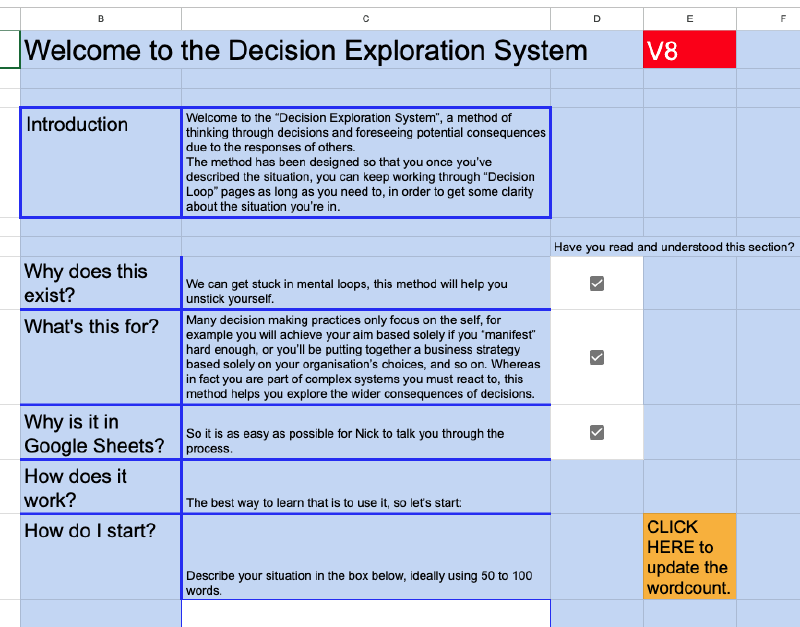
In this box either you or I will describe your situation. This will be in just enough detail so that I can guide you through decisions to drive the system forward.
The scenario we cover can be real, or it could be an anonymised version of something you’re going through, or completely invented.
Of course I’m willing to sign NDAs beforehand.
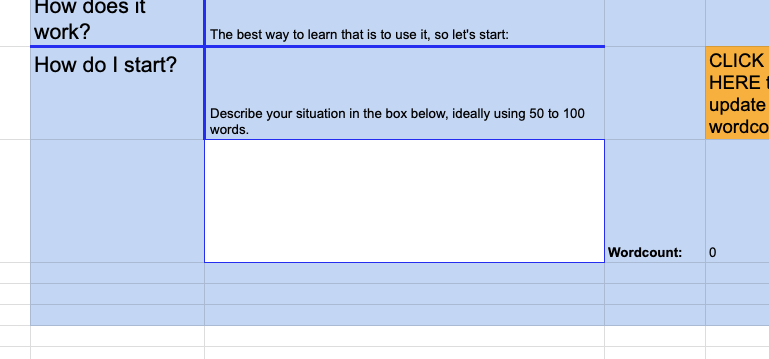
For example, as you can see in the box below, I invented a situation for this walkthrough. If you’re intrigued by the idea, but either don’t want to discuss any current situation in your life, or don’t have anything to discuss, you or I can just invent something to demonstrate the method.
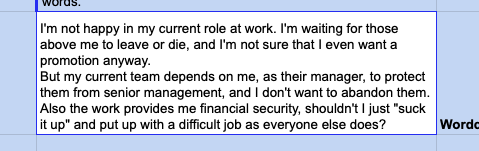
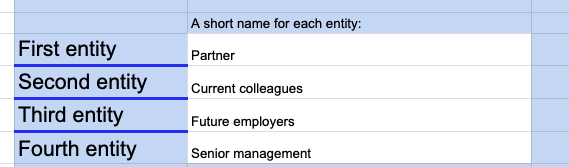
Here I explain “entities”. It’s a slightly obscure word but it illustrates how wide a category this is, just two to four sentient things that are affected by your decisions in this scenario - so anything from a partner or child to an organisation of thousands of people.
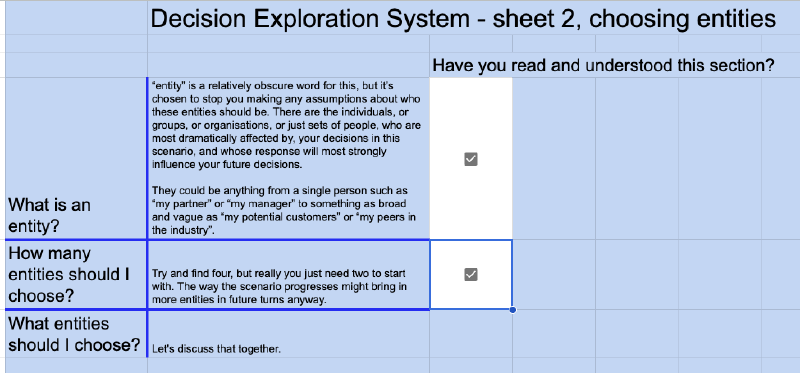
I came up with four entities for the scenario I invented for this walkthrough. Another aspect of this method is that it’s designed to be quick, so you can make mistakes. For example, in the invented example of looking at career options, by playing through a few turns you might realise that your current employer can’t react quick enough, and are legally restrained from doing anything too offensive, so you could replace them in the example with “industry peers”, and explore good and bad reactions from them.
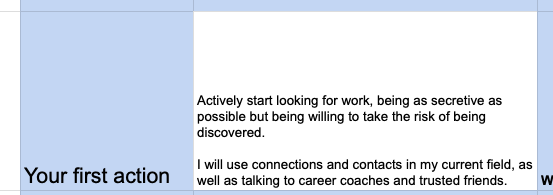
You can see in the example below that, as the person “playing” the Decision Exploration System, I’ve come up with the first action I will take.
The aim here is to explore by action, we’ll just pick the first idea that comes to mind and see where it takes the scenario. There are no commitments made or implied in the system that you, as the participant, will do anything in response to working through a scenario. In fact trying out more experimental courses of action is one of the reasons we advocate for exploring these situations through games.
For this next set of boxes we’ll fill these in with the possible responses of the entities you chose earlier. Often when we consider courses of action we take our most educated guess at what others will do, and stop considering other possibilities. One of the benefits of this system is that all these boxes must be filled in - even if it feels incredibly likely that they’ll happen this method helps you uncover new possibilities. For example in this invented scenario maybe your current employer reacts particularly well to you looking to move to a different company. The method chooses that outcome, now you have to “retcon” why that outcome is possible. This forces you to think about all possibilities rather than only what currently feels the most likely.

Filling in twelve boxes, by taking three different mental positions from four different entities, can actually be quite difficult. But - on the one hand I’m good at this and can manoeuvre us around any issues, and on the other this forces you to consider a range of reactions by the others involved. That can valuable in and of itself, highlighting possibilities that you hadn’t seen before.

You can see here why we’re currently using Google Sheets. The text from the previous tab, which is effectively “turn zero” is automatically copied here. So we can quickly see how the entities might react to your action.
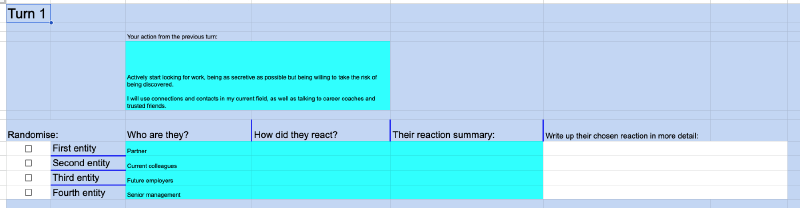
By clicking on the checkbox on the left, one of the three responses from the previous tab is chosen for each entity. This is why this method acts as a “loop breaker”, it decides how each entity will react, and moves you onto handling that reaction. Is it as bad as you expected, or better?
There is no estimation of probability here, if the situation was that simple you wouldn’t need to use this method - it picks one of the possible futures for you and puts you in it.

Optionally, you can expand on how each entity reacted. This requires you to see the situation from their point of view, which helps you think through the scenario you’re stuck on from new angles.

Then what’s your next action - how will you respond to that combination of reactions? You or we will come up with a short summary and type it up into this box.
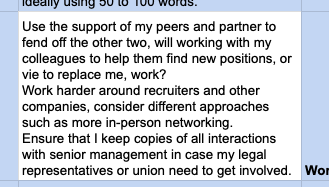
From there, consider good, indifferent, or bad reactions from each entity. As before, this can be quite a lot of effort to work through, but it means you have to consider at least three different possibilities from each entity, which helps you consider several new outcomes rather than assuming only one was possible.

This ends turn one, and you’ve already moved your concept of the scenario beyond a single decision on your part, and a single response by everyone else. Depending on your requirements we can loop through this again, and there are options to take the scenario in multiple directions.
It’s an interesting idea, but is it useful, and is it commercially viable? And how would you use it?
Click here to go back to the main explanation page, or contact me to set up a demonstration session.